
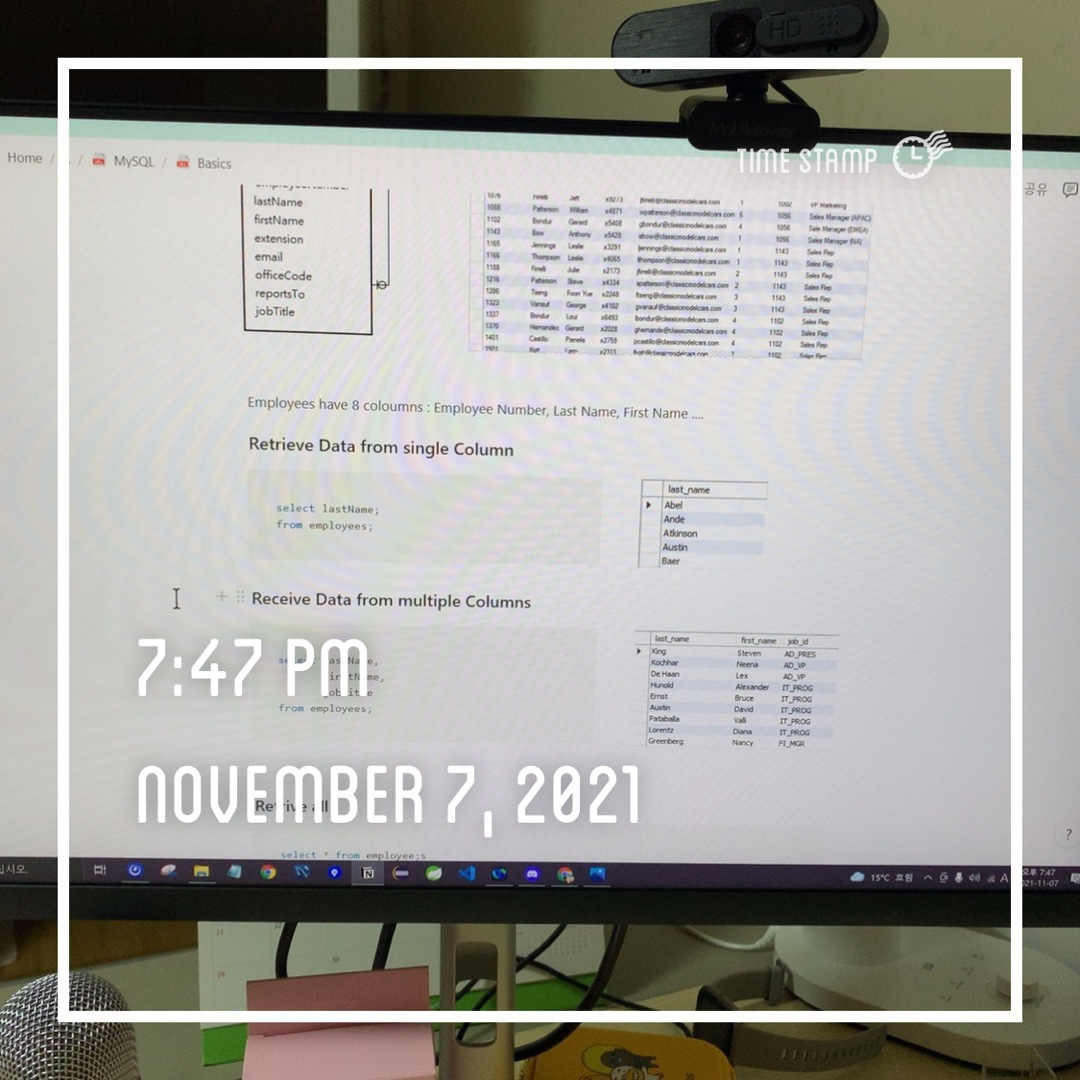
날짜 : 2021년 11월 7일
시청 강의 ; SQL CH02
SQL 공부를 해야해서 오늘은 알고리즘 강의가 아니라 SQL 강의를 들었다.
기본적인 기능들을 알려주셨는데, 나는 MySQL을 사용하기 때문에, https://www.mysqltutorial.org/ 를 참고하여 정리해 보았다.
<1> Querying Data
- Use the
SELECTstatement to select data from a table.
- Use the
SELECT *to select data from all columns of a table.
SELECT:
- MySQL
SELECTstatement doesn’t require theFROMclause
- Use the
dualtable if you want to use theFROMclause but don’t want to reference a table. (dual은 dummy table임)
- Assign an alias to a column to make it more readable.
1. Select
In MySQL, SELECT statement is used to query data from the table.
SELECT select_list #case not sensitive
FROM table_name;
Example
Retrieve Data from single Column
select lastName;
from employees;
Receive Data from multiple Columns
select lastName,
			 firstName,
			 jobTitle
from employees;
Retrive all
select * from employee;s2. Creating Table
Create
In MySQL, you can create using
CREATEkeyword
create table members(
	member_id int auto_increment,
	name varchar(100),
	primary key (member_id)
);
Insert
In MySQL, you can insert data using
INSERT INTOkeyword
insert into members(name) -- 다량의 name 추가
values('John'),('Jane'),('David');
<2> Sorting Data
- Use the
ORDER BYclause to sort the result set by one or more columns.
- Use the
ASCoption to sort the result set in ascending order and theDESCoption to sort the result set in descending order.
- The
ORDER BYclause is evaluated after theFROMandSELECTclauses.
- In MySQL,
NULLis lower than non-NULL values
1. Order By
When using
SELECTstatement, the order of rows in the result set is unspecified. In order to sort the dataset, use
ORDER BYclause.
select select_list
from table_name
order by
	column1 [ASC|DESC],
	column2 [ASC|DESC],
	...;
Ascending
Ascending order → 명시하지 않으면 기본적으로 ASC이다
Descending
ORDER BY column1 DESC;Sort Result set by one column
select first_name,
			 last_name,
from employees
order by last_name;
Sorting multiple columns
select first_name,
			 last_name,
			 hire_date
from employees
order by
				last_name ASC
				hire_date DESC;
Sorting result set
You can also sort result expression using
order byclause
select first_name,
			 last_name,
			 salary*commision_pct AS '돈돈'
from employees
order by
salary*commission_pct DESC;2. Field () Function
FIELD(str1, str2, ....) -- syntaxField() function returns position of the string in the str1, str2, ... list.
Example:
SELECT FIELD ('B','A','B','C'); SELECT FEILD('D','A','B','C');Sort data using a custom list
EXAMPLE 1:
Suppose that you want to sort the sales orders based on their statuses in the following order:
- In Process
- On Hold
- Canceled
- Resolved
- Disputed
- Shipped
SELECT
    orderNumber, status
FROM
    orders
ORDER BY FIELD(status,
        'In Process',
        'On Hold',
        'Cancelled',
        'Resolved',
        'Disputed',
        'Shipped');
리스트: status를 order 해라. 어느 순으로? 문제에서 주어진 순으로
EXAMPLE2 :
Employees 안의 Salary를 job_id, hire_date 순으로 order 해라
select first_name, -- 테이블 column에 보일 내용
			 last_name,
			 job_id,
			 hire_date,
			 salary
from employees      -- from which table?
order by field(     -- order salary:
				 salary,
				 job_id,    -- by 1. job_id
				 hire_date  -- and 2. hire_date
	);
Order by and Null
In mySQL, NULL comes before non-null values.
- Order By [ASC] : null comes on top
- Order By [DESC] : null comes last
<3> Filtering Data
1. Where
Specify a search condition for the row returned by query
SELECT select_list
FROM   table_name
WHERE  search_condition;
Equality Operator
SELECT last_name,
			 first_name,
			 job_id
FROM   employees
WHERE  job_id='IT_PROG';
JOB ID가 IT PROG인 직원들을 선택
AND Operator
job_id가 IT PROG 이고(AND), 연봉이 5000 이상인 직원
SELECT last_name,
			 first_name,
			 job_id,
			 salary
FROM   employees
WHERE  job_id='IT_PROG'
			 AND salary>5000;
OR Operator
job_id가 IT PROG 이거나(OR) FI ACCOUNT 이고(AND), 연봉이 5000 이상인 직원
SELECT last_name,
			 first_name,
			 job_id,
			 salary
FROM   employees
WHERE  (job_id='IT_PROG'
				OR
			  job_id='FI_ACCOUNT')
			  AND salary >5000;
BETWEEN Operator
Between Operator returns true if a value is in a range
expression BETWEEN A and B -- syntaxemployee id 가 100-110 인 직원들
SELECT employee_id,
			 first_name,
			 last_name
FROM employees
WHERE employee_id BETWEEN 100 AND 110
ORDER BY employee_id;
LIKE Operator
LIKE Operator evalutaes to TRUE if a value matches a specified pattern → Pattern은 % 와 _ 와일드 카드로 정의된다.
- % : matches any string of zero or more characters (포함)
- _ : matches any single character (번째)
%Son : 성이 son으로 끝나는 이름
SELECT
    first_name,
    last_name
FROM
    employees
WHERE
    last_name LIKE '%son'
ORDER BY first_name;
%se% :성에 se를 문자열로 포함하는 이름
SELECT
    first_name,
    last_name
FROM
    employees
WHERE
    last_name LIKE '%se%'
ORDER BY first_name;
%s_ : 성의 끝에서 두번째 글자가 s인 이름
SELECT
    first_name,
    last_name
FROM
    employees
WHERE
    last_name LIKE '%s_'
ORDER BY first_name;
IN Operator
IN Operator returns true if a value matches any value in a list
value IN (val1, val2...) -- syntax부서 번호가 10,90,100인 직원을 고르시오.
SELECT
    first_name,
    last_name,
    department_id
FROM
    employees
WHERE
    department_id IN (60,90,100)
ORDER BY
    department_id;
The following table shows the comparison operators that you can use to form the expression in the WHERE clause.
WHERE 절의 Operators
| Operator | Description |
|---|---|
| = | Equal to. You can use it with almost any data type. |
| <> or != | Not equal to |
| < | Less than. You typically use it with numeric and date/time data types. |
| > | Greater than. |
| <= | Less than or equal to |
| >= | Greater than or equal to |
NOT EQUAL Operator(<>)
<> : ~ 가 아닌
SELECT
    last_name,
    first_name,
    job_id
FROM
    employees
WHERE
    job_id <> 'IT_PROG';
2. DISTINCT
SELECT DISTINCT 절→ remove duplicate rows
#SYNTAX
SELECT DISTINCT select_list
FROM            table_name
WHERE           search_condition
ORDER BY        sort_expression;
One column
WIthout Distinct vs With Disctinct → 중복된 lastname 이 제거된다
SELECT
    last_name
FROM
    employees
ORDER BY
    last_name;
^ DISTINCT가 안쓰임: Grant 란 성이 중복된 만큼 테이블에 보여준다
SELECT
    DISTINCT last_name
FROM
    employees
ORDER BY
    last_name;
^ When Distinct is used: Grant only appears once on the table
NULL Values
When you specify a column with
NULL valuesin the Distinct Clause → it
only keeps one null values📌 You can also do this:
WHERE State IS NOT NULLUsing Not Null with where condition gives same result with saying, select distinc state
Where의 수행문이 더 먼저기 때문에, 코드를 짤 때 어느게 더 효율적인지를 생각하며 짜야한다.
Multiple Column
You can use multiple columns in the distinct clause, and it will use combination of values in theses columns → So yes, if both column and row contents are same it will omit one but else if theres multiple on columns & each rows are unique → it will still display multiples columns but with unique rows
SELECT DISTINCT job_id, first_name,last_name
FROM employees
ORDER BY last_name;
Yes, there are multiple SA_REP → but Ellen and Sundar are distinct
And Yes, there are two Cambrault but the are different person
→ In mySQL, when you use distinct on multiple columns it use combination of values so they are all at the end, unique
3. AND OPERATOR
WHERE 절에서도 다루었지만, AND OPERATOR can be combined into multiple boolean expressions to filter data. AND returns 0,1, or NULL
A AND B --syntaxMySQL에서 Null 이란: 알 수 없는 수를 뜻한다.
따라서, true & null 은 알 수 없지만, false & null 은 false 가 되는 것이다
Short-Circuit Evaluation:
	SELECT 1 = 0 AND 1 / 0;  -- and 연산의 short circuit evaluation
	SELECT 1 = 2 OR  1 / 0;  -- or 연산의 short circuit evaluation
4. OR OPERATOR
A OR B --syntax앞서 AND에서 설명했던것과 마찬가지로, MySQL에서 NULL은 알 수 없는 수이다. 따라서, OR 연산에서 알수없는수 or true는 하나라도 true이므로 true, 알수없는수 or false는 알수없는수의 값을 모르기때문에 알수 없는 수 즉 null을 return한다
5. IN Operator
IN Operator allows you to determine if a value matches any value in a list of values
→ value=value1 OR value =value2 OR value=value3 OR...을 묶은것이라고 보면 된다 → value in (value1,value2,value3...)
WHERE 절이나 SELECT절에서 주로 쓰인다
SELECT
    officeCode,
    city,
    phone
FROM
    offices
WHERE
    country = 'USA' OR country = 'France';
SELECT
officeCode,
city,
phone
FROM
offices
WHERE
country IN ('USA', 'France');위의 두 코드는 같은 코드이다
6. NOT IN Operator
	value NOT IN (value1, value2, value3 ...) -- syntax
	value <> value1 AND value<> value2 <> value<> value3  -- Use <>
	NOT(value= value1 OR value =value2 OR value=value3.....) --USE NOT OR
NOT IN 을 쓰면 쉽게 묶을 수 있다. <>은 하나일때만 쓰자..
7. BETWEEN
	value BETWEEN val1 AND val2;    --BETWEEN A AND B
	value >= val1 AND value<=val2
	value NOT BETWEEN val1 AND val2 --NOT BETWEEN A AND B
value <val2 OR value>val1만일, 날짜가 range 안에 드는지 보고 싶을 때:
SELECT
   orderNumber,
   requiredDate,
   status
FROM
   orders
WHERE
   requireddate BETWEEN
     CAST('2003-01-01' AS DATE) AND
     CAST('2003-01-31' AS DATE);
→used CAST() to cast the literal string '2003-01-01' into a DATE value:
8. LIKE
- Use the
LIKEoperator to test if a value matches a pattern.
- The
%wildcard matches zero or more characters.
- The
_wildcard matches a single character.
- Use
ESCAPEclause specifies an escape character other than the default escape character (\).
- Use the
NOToperator to negate theLIKEoperator.
LIKE는 패턴을 찾을 때 쓰인다
% Wilde Card
- 'A%' : A 으로 시작
SELECT
    employeeNumber,
    lastName,
    firstName
FROM
    employees
WHERE
firstName LIKE 'a%'; -- Firstname이 a 로 시작하는 사람 (대소문자 x)- '%A' : A 으로 끝남
SELECT
    employeeNumber,
    lastName,
    firstName
FROM
    employees
WHERE
firstName LIKE '%son'; -- Firstname이 son 로 끝나는 사람- '%A%' : A가 문자열 중간에 포함됨
SELECT
    employeeNumber,
    lastName,
    firstName
FROM
    employees
WHERE
    firstName LIKE '%so%'; -- Firstname에 so 가 들어가는 사람
_ Wild Card
- 'A_B' : AaB, AbB, AcB,AdB.... 등 중간에 들어가는건 상관 없음
SELECT
    employeeNumber,
    lastName,
    firstName
FROM
    employees
WHERE
    firstName LIKE 't_m'; -- tom, tim 등 firstname에 t_m인 문자열
NOT
NOT Operator을 쓰면, 이를 제외한 모든 문자열이 나옴
ESCAPE
Pattern 이 %나 _ 등의 캐릭터를 포함하고 있을 때, escape절을 쓴다
→ 백분율 %라면 : %_20%라고 한다면 20을 포함하는 문자열을 찾게된다. 이때 backslash를 사용하여 %\_20%라고 표현하면 정상적으로 작동한다
%와 _ 뿐만아니라 $같은 SPECIAL CHARACTERES도 포함한다
SELECT
    productCode,
    productName
FROM
    products
WHERE
    productCode LIKE '%$_20%' ESCAPE '$';
9. LIMIT
use LIMIT to constrain the number of rows returned by SELECT statement
# SYNTAX
SELECT select_list
FROM   table_name
LIMIT  [offset,] row_count;
-- offset: specifies the offset of the first row to return (0부터 시작)
-- row_count: specifies the maximum number of rows to return
Example:
Get Highest / Lowest rows
SELECT
	employee_id,
	start_date,
	end_date
FROM job_history
ORDER BY (end_date - start_date) DESC
LIMIT 5;
일 경력이 가장 큰 사람 top (highest) 5명을 산출
Pagination
When you display data on the screen, you foten want to divide rows into pages, where each page contains a limited number of rows liek 10 or 20
You can use LIMIT to do so:
- Use COUNT(*) aggregate function to get the total rows
SELECT COUNT(*)
FROM employees;- Use LIMIT to get rows of page 1 which contains frist alphabetically sorted 10 employees
SELECT first_name,
		   last_name
FROM   employees
ORDER BY last_name
LIMIT 10;
3. Use LIMIT to get second page →11~20:
SELECT first_name,
		   last_name
FROM   employees
ORDER BY last_name
LIMIT 10 ,10;
GET Nth Highest or Lowest Value
- Nth : LIMIT n-1,1 returns 1 row starting at the row nn-1인 이유: index가 0부터 시작한다
# SYNTAX
SELECT select_list
FROM table_name
ORDER BY sort_expression
LIMIT n-1, 1;
Find employee with second-highest work experience:
n: 2번째 → n-1 =1
SELECT
	employee_id,
	start_date,
	end_date
FROM job_history
ORDER BY (end_date - start_date) DESC
LIMIT 1,1;
Find top 3 employees with highest work experience:
SELECT
	employee_id,
	start_date,
	end_date
FROM job_history
ORDER BY (end_date - start_date) DESC
LIMIT 0,3;
→ 하지만, 이런 경우에는 LIMIT3; 과 동일한 function임
LIMIT & DISTINCT clauses
If you use LIMIT clause with the DISTINCT clause → MySQL immediately stops seraching when it finds the number of unique rows specified in the LIMIT clause
-- Syntax:
SELECT DISTINCT row_name
FROM            table_name
WHERE           row_name is something
LIMIT           limit_number;
Example:
SELECT DISTINCT
    state
FROM
    customers
WHERE
    state IS NOT NULL
LIMIT 5;
10. IS NULL
- Use the
IS NULLoperator to test if a value isNULLor not. TheIS NULLoperator returns one if a value isNULL.
- The
IS NOT NULLreturns one if a value is notNULL
Test whether a value is NULL or not by using IS NULL operator
MySQL에서의 null 은 알 수 없는 값이다. → false 가 아니니 혼돈 x
value is null -- syntax
value is not null

SELECT 1 is null, -- 0
			 0 is null, -- 0
			 null is null -- 1(true)
To be Compatible with ODBC programs, MySQL supports some specialized features of the IS NULL operator → Date ('0000-00-00') and @@sql_auto_is_null variable
DATE
- If a DATE or DATETIME column has a NOT NULL constraint and contains a special date '0000-00-00', you can use the IS NULL operator to find such rows.
CREATE TABLE IF NOT EXISTS projects ( -- project 테이블 만들기
    id INT AUTO_INCREMENT,
    title VARCHAR(255),
    begin_date DATE NOT NULL,         -- date 에 not null function 주기
    complete_date DATE NOT NULL,
    PRIMARY KEY(id)
);- Insert some rows
INSERT INTO projects(title,begin_date, complete_date) -- 테이블에 값 추가
VALUES('New CRM','2020-01-01','0000-00-00'),          -- 0000-00-00 : null date
      ('ERP Future','2020-01-01','0000-00-00'),
('VR','2020-01-01','2030-01-01');- Use IS NULL operator to select rows with the values in the complete_date column is 0000-00-00
SELECT *
FROM projects
WHERE complete_date IS NULL; -- date가 null 인 데이터를 찾는다: 0000-00-00인 날짜
@@sql_auto_is_null
If the variable @@sql_auto_is_null is set to 1, you can
get the value of an auto_increment columnafter executing an INSERT statement by using the IS NULL operator.
- Set variable @@sql_auto_is_null to 1
SET @@sql_auto_is_null = 1;- Insert new row into the project table:
INSERT INTO projects(title,begin_date, complete_date)
VALUES('MRP III','2010-01-01','2020-12-31');- Use IS NULL operator to get the generated value of the id column
SELECT
    id
FROM
    projects
WHERE
    id IS NULL;
<4> Joining Tables
1. Alias
Alias for Columns
# Syntax
-- 1:
SELECT
   [column_1 | expression] AS descriptive_name
FROM table_name;
-- 2: As 생략
SELECT
   [column_1 | expression] AS descriptive_name
FROM table_name;
-- 3: `` 나 '' 로 묶기
SELECT
   [column_1 | expression] AS `descriptive_name`
FROM table_name;
Concat_WS()
SELECT
			CONCAT_WS(',' ,last_name,first_name)
FROM  employees;
CONCAT_WS () 를 쓰고 난 후, table column의 이름을 살펴보면, SELECT 안의 구절이 그대로 들어가있는것을 볼 수 있다 → 가독성을 더해주기 위해 Alias 를 사용한다
SELECT
			CONCAT_WS(',' ,last_name,first_name) `FULL NAME`
FROM  employees;
Alias for Table
Table 명도 alias를 사용하여 다르게 표기할 수 있다
# Sytax:
table_name AS table_alias

# refer table column:
table_alias.column_name
[예시] employees에 e라는 alias를 주었다
→ 활용 : table column을 쉽게 refer 할 수 있다
SELECT * FROM employees e;
SELECT
			 e.first_name,
			 e.last_name
FROM   employees e
ORDER BY e.first_name;
WHY? Why do we use Table Alias???
Both Customers table and Orders table have customerNumbers. Thus, if we use without alias we will get an error : Error Code: 1052. Column 'customerNumber' in on clause is ambiguous
Thus, we need to use table alias
SELECT
	customerName,
	COUNT(o.orderNumber) total
FROM
	customers c
INNER JOIN orders o ON c.customerNumber = o.customerNumber
GROUP BY
	customerName
ORDER BY
	total DESC;
2. Join
Introduction to MySQL Join clauses
A relational database consists of multiple related tables linking together using common columns, which are known as foreign key columns. Because of this, data in each table is incomplete from the business perspective.
On above database, to get complete order information → we need BOTH orders and orderDetails
→ That's when this "Join" Kicks in
MySQL supports :
Inner Join, Left Join, Right Join, and Cross Join
Let's create a sample table
-- Create Member and Committees Table
CREATE TABLE members (
    member_id INT AUTO_INCREMENT,
    name VARCHAR(100),
    PRIMARY KEY (member_id)
);

CREATE TABLE committees (
    committee_id INT AUTO_INCREMENT,
    name VARCHAR(100),
    PRIMARY KEY (committee_id)
);
-- Insert Name Data
INSERT INTO members(name)
VALUES('John'),('Jane'),('Mary'),('David'),('Amelia');

INSERT INTO committees(name)
VALUES('John'),('Mary'),('Amelia'),('Joe');
-- Query Data
SELECT * FROM members;
SELECT * FROM committees;
3. Inner Join
Inner Join clause joins two tables based on a condition which is known as a join predicate.
The inner join clause compares each row from the first table with every each row from the second table. If values from both row satisfy : inner join clause creates a new row whose column contains all the cloumns of two rows from both table. → Inner Join clause includes only matching rows from both tables
# Basic Syntax:
SELECT select_list
FROM t1                           -- table 선택
INNER JOIN t2 ON join_condition1  -- INNER JOIN A ON B
INNER JOIN t3 ON join_condition2
...;
📌
즉, row 값이 같은 애들을 합쳐서 새 테이블을 가져온다SELECT
m.member_id,
m.name AS member,
c.committee_id,
c.name AS committee
FROM
members m
INNER JOIN committees c ON c.name = m.name;컨디션에 = 이쓰인다면 → USING() 사용
- inner join
- left join
- right join
- cross join
If the join condition uses equality operator(=) and column names in both tables used for matching are the same → use
USINGinstead
SELECT column_list
FROM table_1
INNER JOIN table_2 USING (column_name);
SELECT
m.member_id,
m.name AS member,
c.committee_id,
c.name AS committee
FROM
members m
INNER JOIN committees c USING(name);SELECT
productCode,
productName,
textDescription
FROM
-- products t1
-- INNER JOIN productlines t2
-- ON t1.productline = t2.productline; -> = 들어간 애들은 using 으로 대체
products
INNER JOIN productLines USING (productline); --JOIN table using (varname)
JOIN Multiple tables
SELECT
    orderNumber,
    orderDate,
    customerName,
    orderLineNumber,
    productName,
    quantityOrdered,
    priceEach
FROM
    orders
INNER JOIN orderdetails
    USING (orderNumber)
INNER JOIN products
    USING (productCode)
INNER JOIN customers
    USING (customerNumber)
ORDER BY
    orderNumber,
    orderLineNumber;
4. Left Join
Left join selects data strating from the left table. For each row in the left table, the left join compares with every row in the right table.
→ Left join selects all data from the left table whether there are matching row exists in the right table or not
SELECT column_list
FROM table_1
LEFT JOIN table_2 ON join_condition;
📌 즉, Left Join은 왼쪽 테이블을 유지한 채로 오른쪽 테이블과 비교 (오른쪽에 값이 없으면 null)
SELECT
    m.member_id,
    m.name AS member,
    c.committee_id,
    c.name AS committee
FROM
    members m
LEFT JOIN committees c USING(name);
5. Right Join
The right join clause is similar to the left join clause except that the treatment of left and right tables is reversed. The right join starts selecting data from the right table instead of the left table.
# Syntax
SELECT column_list
FROM table_1
RIGHT JOIN table_2 ON join_condition;
📌 즉, Right Join은 오른쪽 테이블을 유지한 채로 왼쪽 테이블과 비교 (왼쪽에 값이 없으면 null)
Committee(오른쪽 테이블)은 전부 존재 (비교 기준)
SELECT
    m.member_id,
    m.name AS member,
    c.committee_id,
    c.name AS committee
FROM
    members m
RIGHT JOIN committees c USING(name); -- ==> committees c on c.name = m.name
6. Cross Join
Unlike the inner join, left join, and right join, the cross join clause does not have a join condition.
The cross join makes a Cartesian product of rows from the joined tables. The cross join combines each row from the first table with every row from the right table to make the result set.
첫번째 테이블이 n rows, 두번째 테이블이 m rows가 있었다면, cross join은 총 nxm rows 를 return한다
# syntax
SELECT select_list
FROM table_1
CROSS JOIN table_2;
SELECT
m.member_id,
m.name AS member,
c.committee_id,
c.name AS committee
FROM
members m
CROSS JOIN committees c;7. Self-join
There is a special case that you need to join a table to itself → The self join is often used to query hierarchical data or to compare a row with other rows within the same table.
SELF JOIN USING INNER JOIN
같은 테이블 내에서, Manager당 부하 리스트 뽑아내기
SELECT
    CONCAT(m.lastName, ', ', m.firstName) AS Manager,
    CONCAT(e.lastName, ', ', e.firstName) AS 'Direct report'
FROM
    employees e
INNER JOIN employees m ON
    m.employeeNumber = e.reportsTo
ORDER BY
    Manager;
Self Join using Left join
SELECT
			INFULL(CONCAT(m.lastname,', ',m.first_name), 'Top Manager') AS 'Manager',
			CONCAT(e.lastname,', ',e.first_name) AS 'Direct Report'
FROM employees e
LEFT JOIN employees m --왼쪽에 있을 기준점: managers
 on m.employeeNumber = e.reportsto
ORDER BY mangager DESC;
Self join to compare successive rows
In this example, the table customers is joined to itself using the following join conditions:
c1.city = c2.citymakes sure that both customers have the same city.
c.customerName > c2.customerNameensures that no same customer is included.
SELECT
    c1.city,
    c1.customerName,
    c2.customerName
FROM
    customers c1
INNER JOIN customers c2 ON
    c1.city = c2.city
    AND c1.customername > c2.customerName
ORDER BY
    c1.city;
<5> Grouping Data
1. Group By
# Syntax:
SELECT  c1, c2,..., cn, aggregate_function(ci)
FROM    table
WHERE   where_conditions
GROUP BY c1 , c2,...,cn;
Simple Group By Example
SELECT status
FROM   orders
GROUP BY status;
GROUP BY를 쓰지 않고, SELECT DISTINCT status 를 써도 위와 같은 결과가 나온다
Use Group by with aggregate functions
SELECT
    status, COUNT(*)
FROM
    orders
GROUP BY status;
서로 다른 두 테이블에서 status: order quantities 가져오기
SELECT
    status,
    SUM(quantityOrdered * priceEach) AS amount --quantityOrdered랑 priceEach는 다른 테이블에 있는 데이터
FROM
    orders --from: 현재 테이블
INNER JOIN orderdetails --inner join : 다른 테이블
    USING (orderNumber) --using :현재 테이블과의 공통 요소 -> order number
GROUP BY  --group by: status를 기준으로 묶을 거야
    status;
Using Group by with expression
SELECT
    YEAR(orderDate) AS year,
    SUM(quantityOrdered * priceEach) AS total
FROM
    orders -- 현재 테이블
INNER JOIN orderdetails -- inner join : 타 테이블
    USING (orderNumber) -- using: 공통 변수
WHERE
    status = 'Shipped'
GROUP BY
    YEAR(orderDate);
Group by with Having clause
Having: select the total sales of the year after 200
SELECT
    YEAR(orderDate) AS year,
    SUM(quantityOrdered * priceEach) AS total
FROM
    orders
INNER JOIN orderdetails
    USING (orderNumber)
WHERE
    status = 'Shipped'
GROUP BY
    year
HAVING
    year > 2003;
Group By v.s. Distinct
If you use the GROUP BY clause in the SELECT statement without using aggregate functions, the GROUP BY clause behaves like the DISTINCT clause.
- Group by Clause:
SELECT
    state
FROM
    customers
GROUP BY state;- Distinct Clause:
SELECT DISTINCT
    state
FROM
    customers;
Only Difference is , GROUP BY: Sort, DISTINCT : x sort
2. Having
The HAVING clause is used in the SELECT statement to specify filter conditions for a group of rows or aggregates.
HAVING clause is often used with the GROUP BY clause to filter groups
based on a specified condition. If you omit the GROUP BY clause, the HAVING clause behaves like the WHERE clause.
SELECT
    select_list
FROM
    table_name
WHERE
    search_condition
GROUP BY
    group_by_expression
HAVING
    group_condition;
위에 group by 에서 쓰인 예시 참고 (Having year>2003)
3. Roll up
Generate multiple grouping sets considering a hierarchy between columns specified in the GROUP BY clause.
SELECT
    select_list
FROM
    table_name
GROUP BY
    c1, c2, c3 WITH ROLLUP;
UNION ALL
If you want to generate two or more grouping sets together in one query, you may use the UNION ALL operator:
SELECT
    productline,
    SUM(orderValue) totalOrderValue
FROM
    sales
GROUP BY
    productline
UNION ALL
SELECT
    NULL,
    SUM(orderValue) totalOrderValue
FROM
    sales;
Because the UNION ALL requires all queries to have the same number of columns, NULL is is added in the select list of the second query to fulfill this requirement.
The NULL in the productLine column identifies the grand total super-aggregate line.
This query is able to generate the total order values by product lines and also the grand total row. However, it has two problems:
- The query is quite lengthy.
- The performance of the query may not be good since the database engine has to internally execute two separate queries and combine the result sets into one.
To fix these issues, you can use the ROLLUP clause.
The ROLLUP clause is an extension of the GROUP BY clause with the following syntax:
→ Fixed Code
SELECT
    productLine,
    SUM(orderValue) totalOrderValue
FROM
    sales
GROUP BY
    productline WITH ROLLUP;
SELECT
productLine,
orderYear,
SUM(orderValue) totalOrderValue
FROM
sales
GROUP BY
productline,
orderYear
WITH ROLLUP;→ GROUP BY 에 조건을 추가해주면 order year 별로 productline의 합계를 보여주게 된다
Grouping() Function
To check whether NULL in the result set represents the subtotals or grand totals, you use the GROUPING() function → returns 1 when NULL occurs in a supper-aggregate row, otherwise, it returns 0.
SELECT
    IF(GROUPING(orderYear),
        'All Years',
        orderYear) orderYear,
    IF(GROUPING(productLine),
        'All Product Lines',
        productLine) productLine,
    SUM(orderValue) totalOrderValue
FROM
    sales
GROUP BY
    orderYear ,
    productline
WITH ROLLUP;
<6> Sub Queries
1. Subquery
Subquery is a query nested within another query such as SELECT, INSERT, UPDATE or DELETE. Also, a subquery can be nested within another subquery.
→ day3 숙제 때, where 안에 집어넣은게 subquery야
Subquery in Where clause
You can use comparison operators e.g., =, >, < to compare a single value returned by the subquery with the expression in the WHERE clause.
Scott의 직무와 같은 사람의 이름, 부서명, 급여, 직무를 검색하시오
select
		e.ename 이름,    -- 요구하는 columns
    d.dname 부서명,
    e.sal	급여,
    e.job	직무
from emp e 				   -- 기준이 되는 테이블
inner join dept d using(deptno) -- table 2 using(공통var)
#subquery : e.job 이 이름이 scott인 사람의 job과 일치해야한다
where e.job = (
		select job
    from emp
    where ename='scott'
);
전체 사원의 평균급여보다 급여가 많은 사원의 사원번호, 이름, 부서명, 입사일, 지역, 급여를 검색하시오
select
		e.empno 사원번호,
		e.ename 이름,    -- 요구하는 columns
        d.dname 부서명,
        e.hiredate 입사일,
        d.loc	지역,
        e.sal	급여
from emp e 				-- 기준이 되는 테이블
inner join dept d using(deptno) -- table 2 using(공통var)
#subquery
where e.sal > (			-- 조건: e.sal > avg(Sal)
		select avg(sal) -- 평균 급여
        from emp		-- from which table?
);
Subquery with IN and NOT IN operators
If a subquery returns more than one value, you can use other operators such as IN or NOT IN operator in the WHERE clause.
- in
'King'이나 'James'의 급여와 같은 사람의 사원번호, 이름,급여를 검색하시오
select
		e.empno 사원번호,
		e.ename 이름,
        e.sal	급여
from emp e
where e.sal in ( --  이것도 in이네..
		select sal
        from emp
        where ename in ('king','james')
);- not in
10 번 부서 중에서 30번 부서에는 없는 없무를 하는 사원의 사원번호, 이름, 부서명, 입사일, 지역을 검색하시오
select
		e.empno 사원번호,
		e.ename 이름,    -- 요구하는 columns
    d.dname 부서명,
    e.hiredate 입사일,
    d.loc	지역
from emp e
inner join dept d using(deptno)
where e.deptno = 10 -- dept no 가 10이고
and
e.job not in  	-- e.job이 30번 부서에는 없다
(
		select job
    from emp
		where  deptno=30
);
Subquery in the from clause
When you use a subquery in the FROM clause, the result set returned from a subquery is used as a temporary table. This table is referred to as a derived table or materialized subquery.
SELECT
    MAX(items),
    MIN(items),
    FLOOR(AVG(items))
FROM
    (SELECT orderNumber, COUNT(orderNumber) AS items
    FROM orderdetails
    GROUP BY orderNumber) AS lineitems;-- lineitems는 derived table 이다(아래참고)
Subquery in Exists and Not Exists
When a subquery is used with the EXISTS or NOT EXISTS operator, a subquery returns a Boolean value of TRUE or FALSE.
SELECT *
FROM   table_name
WHERE  EXISTS( subquery );
2. Derived Table
The term derived table and subquery is often used interchangeably.When a stand-alone subquery is used in the FROM clause of a SELECT statement, it is also called a derived table.
# Syntax
SELECT select_list
FROM (
			 SELECT  select_list
       FROM table_1
) derived_table_name
WHERE derived_table_name.c1 > 0;
3. Exists
The EXISTS operator is a Boolean operator that returns either true or false. The EXISTS operator is often used to test for the existence of rows returned by the subquery.
# Syntax
SELECT select_list
FROM   a_table
WHERE  [NOT] EXISTS(subquery);
Exists VS In Operator
The query that uses the
EXISTS operator is much fasterthan the one that uses the IN operator.
<7> Common Table Expressions
What is Common Table Expression(CTE)
A common table expression is a named temporary result set that exists only within the execution scope of a single SQL statement e.g.,SELECT, INSERT, UPDATE, or DELETE.
✔️ Derived Table과 공통점: not stored as an object and last only during the execution of a query
✔️ Derived Table과 차이점: CTE can be self-referencing (a recursive CTE) or can be referenced multiple times in the same query. In addition, a CTE provides better readability and performance in comparison with a derived table.
Syntax
WITH cte_name (column_list) AS (
    query
)
SELECT * FROM cte_name;
Example
WITH customers_in_usa AS (-- cte:customers in usa
    SELECT                -- query
        customerName, state
    FROM
        customers
    WHERE
        country = 'USA'
) SELECT                  -- select something
    customerName          -- from cte table
 FROM
    customers_in_usa
 WHERE
    state = 'CA'
 ORDER BY customerName;
With clause
There are some contexts that you can use the WITH clause to make common table expressions:
WITHclause can be used at the beginning ofSELECT,UPDATE, andDELETEstatements:
WITH ... SELECT ...
WITH ... UPDATE ...
WITH ... DELETE ...WITHclause can be used at the beginning of a subquery or a derived table subquery:
SELECT ... WHERE id IN (WITH ... SELECT ...);
SELECT * FROM (WITH ... SELECT ...) AS derived_table;- Third, a
WITHclause can be used immediately precedingSELECTof the statements that include aSELECTclause
CREATE TABLE ... WITH ... SELECT ...
CREATE VIEW ... WITH ... SELECT ...
INSERT ... WITH ... SELECT ...
REPLACE ... WITH ... SELECT ...
DECLARE CURSOR ... WITH ... SELECT ...
EXPLAIN ... WITH ... SELECT ...
<8>Set Operators
Set operators- Union, Union all, Intersect, and Minus operators
1. Union and Union All
UNION operator: combine two or more result sets from multiple SELECT statements into a single result set. 즉, 교집합을 구해서 합치는 것
Union Operator
Combine two or more result sets of queries into a single result set
📌 규칙
- First, the number and the orders of columns that appear in all
SELECTstatements must be the same.→ 순서와 column #가 같아야만 union을 쓸 수 있어서, 다르면 null추가해줘야함 !
- Second, the data types of columns must be the same or compatible.
# Syntax:
SELECT column_list
UNION [DISTINCT | ALL]
SELECT column_list
UNION [DISTINCT | ALL]
SELECT column_list
...
Union operator은 DISTINCT 없이도 중복되는 rows를 자동으로 제거한다
DROP TABLE IF EXISTS t1;
DROP TABLE IF EXISTS t2;

CREATE TABLE t1 (
    id INT PRIMARY KEY
);

CREATE TABLE t2 (
    id INT PRIMARY KEY
);

INSERT INTO t1 VALUES (1),(2),(3);
INSERT INTO t2 VALUES (2),(3),(4); --2 가 중복된다

#--------------------------------Union--------------------------------#
SELECT id
FROM t1
UNION
SELECT id
FROM t2;
#---------------------------------Result---------------------------------#
+----+
| id |
+----+
|  1 |
|  2 |  --> 2는 한번만 들어간다
|  3 |
|  4 |
Union VS Join
- Join Combines result sets horizontally
- Union Combines result sets vertically
Alias
Example:
→ Employees 와 Customer의 이름 명단 합치기(union)
SELECT
			firstName,
			lastName
FROM  employees
Union
SELECT
			contactFirstName,
			contactLastName
FROM
			Customers
→Concat을 이용해서 테이블 합치기
SELECT
    CONCAT(firstName,' ',lastName) fullname
FROM
    employees
UNION SELECT
    CONCAT(contactFirstName,' ',contactLastName)
FROM
    customers;
Order By
Union의 result set을 정렬하고 싶으면, SELECT절의 마지막 부분에 추가한다
→ 만일 Order By를 마지막 부분에 추가하지 않으면 정렬이 제대로 되지 않는다 !
SELECT
    concat(firstName,' ',lastName) fullname
FROM
    employees
UNION SELECT
    concat(contactFirstName,' ',contactLastName)
FROM
    customers
ORDER BY fullname;
표에 column을 추가하여, employee인지 customer인지 표시
SELECT
    CONCAT(firstName, ' ', lastName) fullname,
    'Employee' as contactType
FROM
    employees
UNION SELECT
    CONCAT(contactFirstName, ' ', contactLastName),
    'Customer' as contactType
FROM
    customers
ORDER BY
    fullname
2. Intersect
MySQL does not support the INTERSECT operator
MySQL은 intersect operator를 지원하지 않지만, join절을 사용하여 비슷한 효과를 낼 수있다
규칙
- The order and the number of columns in the select list of the queries must be the same.
- The data types of the corresponding columns must be compatible.
(SELECT column_list
FROM table_1)
INTERSECT
(SELECT column_list
FROM table_2);
Emulating INTERSECT in MySQL
MySQL does not support intersect operator, but you can emulate it
Set up Tables
CREATE TABLE t1 (
    id INT PRIMARY KEY
);

CREATE TABLE t2 LIKE t1;

INSERT INTO t1(id) VALUES(1),(2),(3);
INSERT INTO t2(id) VALUES(2),(3),(4);

SELECT id FROM t1;-- get query from t1
SELECT id FROM t2;-- get query from t2- Emulate Intersect using DISTINCT and INNER JOIN
SELECT DISTINCT -- 중복 제거
   id
FROM t1
INNER JOIN t2 USING(id); -- 테이블 합체- Emulate Intersect using IN and Subquery
SELECT DISTINCT id -- 증벅 제거
FROM t1
WHERE id IN (SELECT id FROM t2); -- range: t1 ~ t2안의 모든 내용에서
3. Minus
MySQL does not support the MINUS operator
Minus operator
The MINUS compares the results of two queries and returns distinct rows from the result set of the first query that does not appear in the result set of the second query.
규칙
- The number and order of columns in both
select_list1andselect_list2must be the same.
- The data types of the corresponding columns in both queries must be compatible.
SELECT select_list1
FROM table_name1
MINUS
SELECT select_list2
FROM table_name2;
앞서 만든 t1, t2 테이블 을 예시로, t1- t2 = 1이 된다
Emulate Minus Operator
-- Syntax:
SELECT
    select_list
FROM
    table1
LEFT JOIN table2
    ON join_predicate
WHERE
    table2.column_name IS NULL; -- table2의 값이 있거나 없을 때는 minus가 아님. nulll일때만 가져옴
위 syntax를 적용해보면,
SELECT            -- 추출할 데이터
    id
FROM              -- t1 - t2 중 t1
    t1
LEFT JOIN         -- t2의 id를 합칠것이다
    t2 USING (id)
WHERE             -- t2의 id가 null인 값만 추가한다. 있거나 없으면 minus가아님
    t2.id IS NULL;
<9> Modifying data in MySQL
1. Insert
INSERT statement allows you to insert one or more rows into a table.
INSERT INTO table(c1,c2,...)
VALUES (v1,v2,...);
Example
Create a table
CREATE TABLE IF NOT EXISTS tast(
		task_id INT AUTO_INCREMENT,
    title VARCHAR(255) NOT NULL,
    start_date DATE,
    due_date DATE,
    priority TINYINT NOT NULL DEFAULT 3, --default 3
    description TEXT,
    PRIMARY KEY (task_id)
);
Insert
INSERT INTO tasks(title,priority) -- 테이블 추가 tablename(col,col)
VALUES('Learn MySQL INSERT Statement',1);-- Values(val1, val2);
Insert using default value
위 테이블에서 priority의 디폴트 값을 3으로 지정했다. 따라서 아래가 가능하다
INSERT INTO tasks(title,priority)
VALUES('Understanding DEFAULT keyword in INSERT statement',DEFAULT);
Insert Date ('YYYY-MM-DD' format)
- 직접 입력 : YYYY-MM-DD형태
- CURRENT_DATE() 사용
# 방법 1:
INSERT INTO tasks(title, start_date, due_date)
VALUES('Insert date into table','2018-01-09','2018-09-15');
# 방법 2:
INSERT INTO tasks(title,start_date,due_date)
VALUES('Use current date for the task',CURRENT_DATE(),CURRENT_DATE())
2. Insert Multiple Rows
# Syntax:
INSERT INTO table_name (column_list)
VALUES
	(value_list_1),
	(value_list_2),...
	(value_list_n);
Insert Multiple rows
value에 multiple 값들을 추가하면 된다
INSERT INTO tasks(title, priority)
VALUES
	('My first task', 1),
	('It is the second task',2),
	('This is the third task of the week',3);
3. Insert into Select
# Syntax:
INSERT INTO table_name(column_list)
SELECT
   select_list
FROM
   another_table
WHERE
   condition;
Example
Create a table:
CREATE TABLE suppliers (
    supplierNumber INT AUTO_INCREMENT,
    supplierName VARCHAR(50) NOT NULL,
    phone VARCHAR(50),
    addressLine1 VARCHAR(50),
    addressLine2 VARCHAR(50),
    city VARCHAR(50),
    state VARCHAR(50),
    postalCode VARCHAR(50),
    country VARCHAR(50),
    customerNumber INT,
    PRIMARY KEY (supplierNumber)
);
Check Table - customers living in CA
SELECT
    customerNumber,
    customerName,
    phone,
    addressLine1,
    addressLine2,
    city,
    state,
    postalCode,
    country
FROM
    customers
WHERE
    country = 'USA' AND
state = 'CA';- Use Insert into... Select
INSERT INTO suppliers ( -- select절 위에 추가
    supplierName,
    phone,
    addressLine1,
    addressLine2,
    city,
    state,
    postalCode,
    country,
    customerNumber
)
SELECT
    customerName,
    phone,
    addressLine1,
    addressLine2,
    city,
    state ,
    postalCode,
    country,
    customerNumber
FROM
    customers
WHERE
    country = 'USA' AND
    state = 'CA';
Using SELECT statement in the values list
Example
Create table
CREATE TABLE stats (
    totalProduct INT,
    totalCustomer INT,
    totalOrder INT
);
Inswert Values
INSERT INTO stats(totalProduct, totalCustomer, totalOrder)
VALUES(
	(SELECT COUNT(*) FROM products),
	(SELECT COUNT(*) FROM customers),
	(SELECT COUNT(*) FROM orders)
);
4. Insert Ignore
Insert 절을 통해 rows를 더할때에는, 에러 발생 시 아무 row 도 생성되지 않는다 → insert ignore을 사용하면 에러를 무시하고 정상적인 값을 가진 row들은 추가된다
#Syntax
INSERT IGNORE INTO table(column_list)
VALUES( value_list),
      ( value_list),
      ...
Example
# Create Table
CREATE TABLE subscribers (
    id INT PRIMARY KEY AUTO_INCREMENT,
    email VARCHAR(50) NOT NULL UNIQUE -- email 중복 불가
);
# Insert Value
INSERT INTO subscribers(email)
VALUES('john.doe@gmail.com');

# Insert Values
INSERT INTO subscribers(email)
VALUES('john.doe@gmail.com'),  -- email이 중복 불가인데, 같은 값을 추가 시 오류가 난다
      ('jane.smith@ibm.com');
Insert Value 시 오류 : Error Code: 1062. Duplicate entry 'john.doe@gmail.com' for key 'email'
오류가 발생하였기 때문에, Jane.smith@ibm.com도 추가되지 않는다
하지만, insert ignore을 사용하면 janem의 이메일은 추가된다:

INSERT IGNORE INTO subscribers(email)
VALUES('john.doe@gmail.com'), -- 중복 값 -> warning이 생긴다. SHOW WARNGINGS;
      ('jane.smith@ibm.com');
Strict and Insert Ingore
Strict Mode on → insert ingore 사용 시 에러가 발생하면, it tries to adjust the values to make them valid before adding the value to the table.
Example
CREATE TABLE tokens(s varchar(6)); -- create table
INSERT INTO tokens VALUES('abcdefg'); -- insert rows->error:7글자임..
# Insert Ignore Into
INSERT IGNORE INTO toekns VALUES('abcdefg'); -- g는 알아서 drop
패스트캠퍼스 환급 챌린지 바로가기👉 https://bit.ly/3FVdhDa
수강료 100% 환급 챌린지 | 패스트캠퍼스
딱 5일간 진행되는 환급챌린지로 수강료 100% 환급받으세요! 더 늦기전에 자기계발 막차 탑승!
fastcampus.co.kr
본 포스팅은 패스트캠퍼스 환급 챌린지 참여를 위해 작성되었습니다.
'📓 STUDY > FASTCAMPUS' 카테고리의 다른 글
| 패스트캠퍼스 챌린지 9일차 (2) | 2021.11.09 |
|---|---|
| 패스트캠퍼스 챌린지 8일차 (0) | 2021.11.08 |
| 패스트캠퍼스 챌린지 6일차 (0) | 2021.11.06 |
| 패스트캠퍼스 챌린지 5일차 (0) | 2021.11.05 |
| 패스트캠퍼스 챌린지 4일차 (0) | 2021.11.04 |